

MetaboAnalyst Filtering and Normalization Errors: Common Causes, Diagnostics, and Fixes
Submit Your InquiryFiltering and normalization are where many MetaboAnalyst workflows either break outright—or worse, "succeed" while silently degrading the statistical meaning of the dataset. In practice, most failures are not mysterious software bugs. They're predictable consequences of (1) an input matrix that is technically readable but structurally invalid, (2) missingness that was never made explicit, or (3) normalization choices that don't match the assay, study design, or measurement scale.
If you treat preprocessing as a sequence of reversible decisions—validated by before/after summaries—you can usually locate the first step where the data stop behaving like metabolomics data and start behaving like a malformed spreadsheet.
Filtering and normalization are not "set-and-forget" steps. Treat them as a short validation loop: make one change, inspect summaries, then decide whether the matrix is more defensible than before.
Key Takeaway: Most MetaboAnalyst filtering and normalization errors start upstream—in matrix structure and missingness—not in the method dropdown.
Why Filtering and Normalization Errors Are So Common in MetaboAnalyst
MetaboAnalyst has to accommodate many kinds of metabolomics inputs: targeted concentration tables, untargeted peak tables, spectral bins, and hybrids produced by different acquisition and feature-finding pipelines. That flexibility is a strength—but it also means the tool can only be as stable as the assumptions you hand it.
A large fraction of failures are not true software defects. They're caused by subtle input issues: class labels shifted by one column, hidden non-numeric cells, duplicated sample names, or missing values encoded as text strings that slip through visual inspection. These problems often survive the import step and only surface when MetaboAnalyst tries to compute a statistic, apply a filter, or estimate a scaling factor.
Even when no hard error occurs, preprocessing mistakes can show up as "soft failures": PCA plots dominated by one outlier sample, boxplots that widen after normalization, density curves that become bimodal, or results that contradict basic biology (for example, housekeeping metabolites appearing as extreme differential signals across all contrasts). Those symptoms should be treated as diagnostic signals, not as evidence that the biology is "interesting."
A useful troubleshooting workflow separates formatting problems from preprocessing problems before you change analysis settings. That's not just good hygiene—it prevents you from spending hours tuning thresholds to compensate for a matrix that was never valid for downstream steps.
First, Confirm What Kind of Problem You Actually Have
Start by naming the failure mode. "Filtering doesn't work" can mean four different things, and each points to a different root cause.
A true error message or a failed step is the simplest: something stops, and MetaboAnalyst won't proceed. These are commonly tied to parsing failures, incompatible dataset types, or operations that can't be computed due to zero variance, all-NA features, or non-positive values when a log transform is applied.
A second category is a successful run with obviously wrong filtering results—for example, almost every feature disappears, or the remaining matrix becomes dominated by a small set of artifacts. That usually indicates overly aggressive filtering thresholds or filtering logic that doesn't match the dataset structure (QC-based vs non-QC).
Third, you may have a normalization workflow that completes but makes the data look worse. This is common when a method's assumptions don't match the data (e.g., sum normalization in matrices with strong global metabolic shifts, or quantile normalization in sparse peak tables).
Finally, you may see a downstream analysis problem caused by an earlier filtering or normalization mistake. Pathway analysis instability, implausible volcano plots, and clustering that tracks batch rather than biology are often downstream reflections of an upstream preprocessing decision.
A practical shortcut is to ask: Did the problem appear immediately when I clicked "Filter/Normalize," or did it only become obvious when I looked at PCA/boxplots/pathways? The earlier the symptom appears, the more likely the matrix itself is invalid.
Check the Input Matrix Before Touching Filtering or Normalization
Most preprocessing issues are downstream of the input matrix. Treat your matrix like an experimental reagent: confirm identity, purity, and labeling before you "run" it.
If you want a parallel, service-grade preprocessing pipeline (including data dictionaries, QC transparency, and reproducible statistical outputs), it can be helpful to benchmark your matrix and preprocessing steps against a dedicated workflow such as Metabolomics Data Analysis —not to replace MetaboAnalyst, but to pressure-test assumptions and verify that your preprocessing choices are defensible.
Make Sure the Data Layout Matches the Expected Format
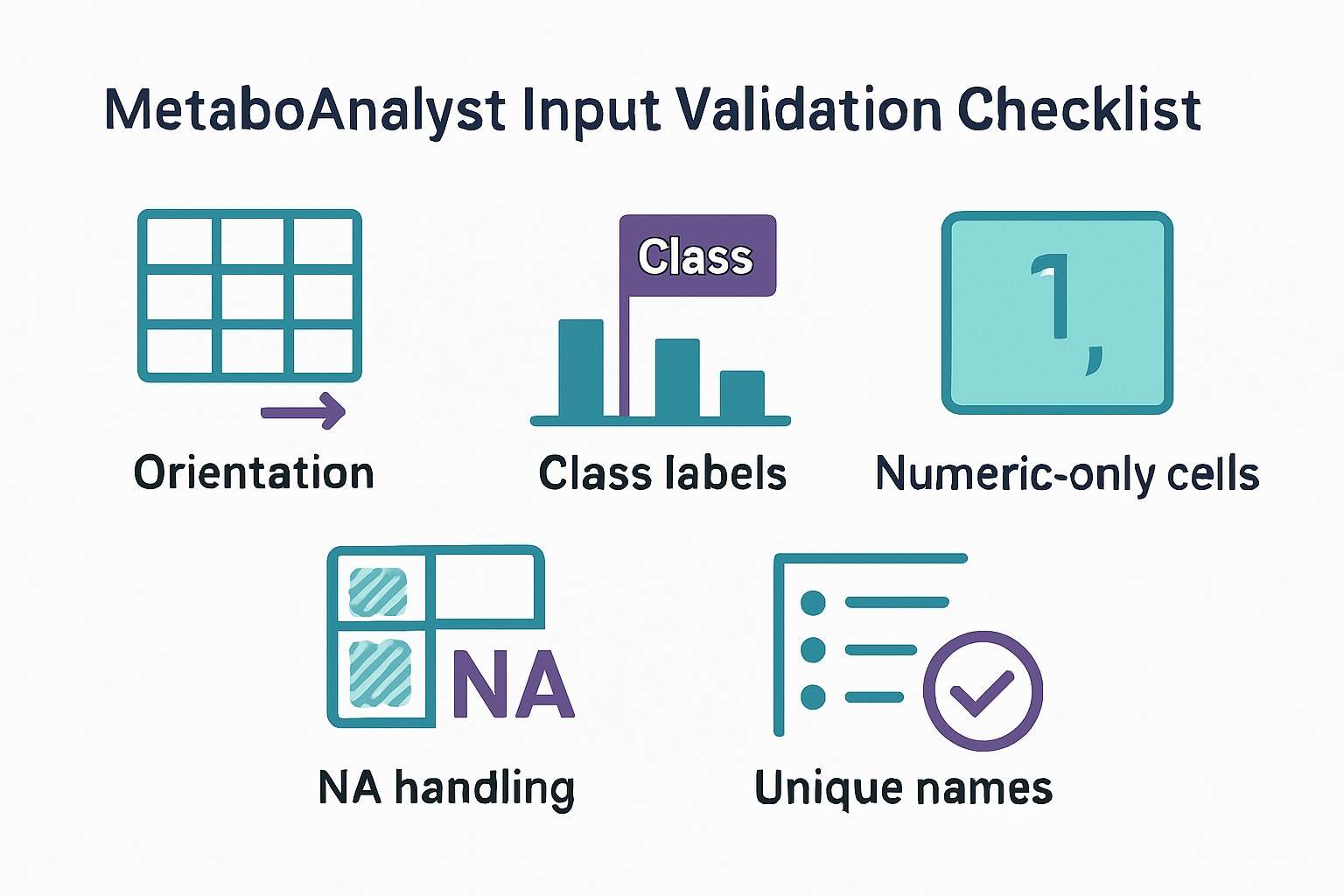
MetaboAnalyst import options are sensitive to orientation. Some workflows expect samples in rows (features in columns); others expect the opposite. If you upload a matrix in one orientation but select the import option for the other, the tool may still "read" the file but interpret the structure incorrectly—leading to nonsense class grouping, impossible variances, or filtering that removes everything because the algorithm is operating on the wrong axis.
Two quick checks prevent most orientation mistakes:
- Confirm whether sample identifiers are in the first column or the first row.
- Confirm whether feature identifiers (metabolites, peaks, bins) occupy the opposite dimension.
Class labels are another frequent failure point. In many formats, class labels must sit in a dedicated row/column aligned to samples. If class labels are shifted by one cell (for example, a blank cell at the top-left corner pushes everything right), MetaboAnalyst can treat a label as a numeric value or treat a numeric column as a label—both of which break preprocessing logic.
Remove Non-Numeric and Invalid Values
Filtering and normalization assume the data region is numeric. In real lab spreadsheets, it's common to see:
- "ND", "n/a", "--", "below LOD", or "Inf" inserted by hand
- hidden formatting artifacts from Excel export
- commas used as thousands separators (or decimal separators) depending on locale
These can slip into the matrix without being obvious. MetaboAnalyst may import them as text, which can force entire columns into non-numeric types. The result might be a hard error or a silent conversion to NA that inflates missingness.
Also check the positivity constraint: many normalization or transformation steps require positive values (especially log transforms). Negative values can appear after background subtraction, baseline correction, or certain scaling operations outside MetaboAnalyst. If your dataset contains negatives, decide whether that represents a valid centered scale (rare for raw intensity tables) or a preprocessing artifact that needs correction upstream.
Clean Feature and Sample Names
MetaboAnalyst needs unique, parseable identifiers. Duplicated sample names can break grouping. Duplicated feature names can cause merges or overwriting, leading to unpredictable downstream results.
For stability:
- Use unique sample IDs (avoid purely numeric IDs that can be reinterpreted).
- Use unique feature IDs (for peaks, consider combining m/z and RT into a stable key).
- Avoid special characters that may be parsed as separators.
- Keep naming consistent across metadata and the matrix.
Why Data Filtering Fails in MetaboAnalyst
Filtering is usually introduced to remove unreliable features: those dominated by missingness, low variance, poor reproducibility, or poor signal-to-noise. The problem is that filtering interacts strongly with missingness and with study design. If those aren't understood first, filtering becomes a blunt instrument.
Missing Values Were Not Handled Properly
Filtering often breaks or behaves unpredictably when the dataset contains too many missing values—or when missing values are encoded inconsistently. In untargeted MS data, missingness is often not random. Features disappear for reasons that include detection limits, ion suppression, peak picking thresholds, and batch-specific drift.
Before you filter, ask what missingness means in your dataset:
- Biology: a metabolite truly absent in a condition.
- Detection limit: present but below LOD/LOQ.
- Processing artifact: inconsistent peak detection or alignment.
- Handling artifact: text placeholders, zero-fill, or inconsistent NA encoding.
If you mix these categories, filtering can erase real biological signals (by removing features that are biologically condition-specific) or preserve artifacts (by retaining features that are inconsistently detected).
A defensible approach is to treat missingness as a first-class diagnostic: quantify missingness per feature and per sample, then decide whether to remove features with excessive missingness, impute values, or flag them as "low confidence." Importantly, the right strategy depends on whether you're working with targeted concentrations (where non-detects may have a clear LOD definition) versus untargeted peak tables (where missingness may be dominated by feature-finding variability).
Filtering Thresholds Are Too Aggressive
Overly strict filtering is one of the most common reasons "everything disappears." This is especially risky in sparse untargeted datasets, small studies, or assays where a large fraction of features are near the detection boundary.
Aggressive filtering creates two downstream problems:
- Loss of coverage: you may remove most of the metabolic fingerprint, leaving only the highest-abundance features.
- Bias in interpretation: your downstream analysis reflects what survived the filter, not what was present in the sample.
When troubleshooting, start conservative. Your first goal is not the "best" final feature table—it's to find out whether the table is fundamentally stable. Once the pipeline runs and summary plots look sane, you can tighten thresholds iteratively with explicit retention tracking.
QC-Based and Non-QC Filtering Logic Are Mixed Up
Filtering strategies should match dataset structure. If you have pooled QC samples injected regularly, QC-based filtering can remove features that fail reproducibility thresholds (for example, high RSD in QC). If you do not have QC samples, QC-based logic can misfire: a feature might look "unstable" only because the algorithm is treating biological replicates as technical replicates.
Similarly, non-QC filters (variance, IQR, presence thresholds) can be inappropriate when QC samples exist and your primary issue is drift or batch effects. The more complex the study design, the more important it is to make sure your filter is evaluating the right concept of "quality."
Filtering Happens at the Wrong Stage
Some workflows become unstable when users filter before they verify format, missingness, and sample structure. Filtering early is tempting because it reduces the matrix size. But if the matrix is malformed, filtering can hide the evidence.
Filtering also affects normalization: remove enough features and the "basis" of sample normalization changes. If you filter after normalization, you may need to reevaluate whether the normalization factors still reflect the original data distribution.
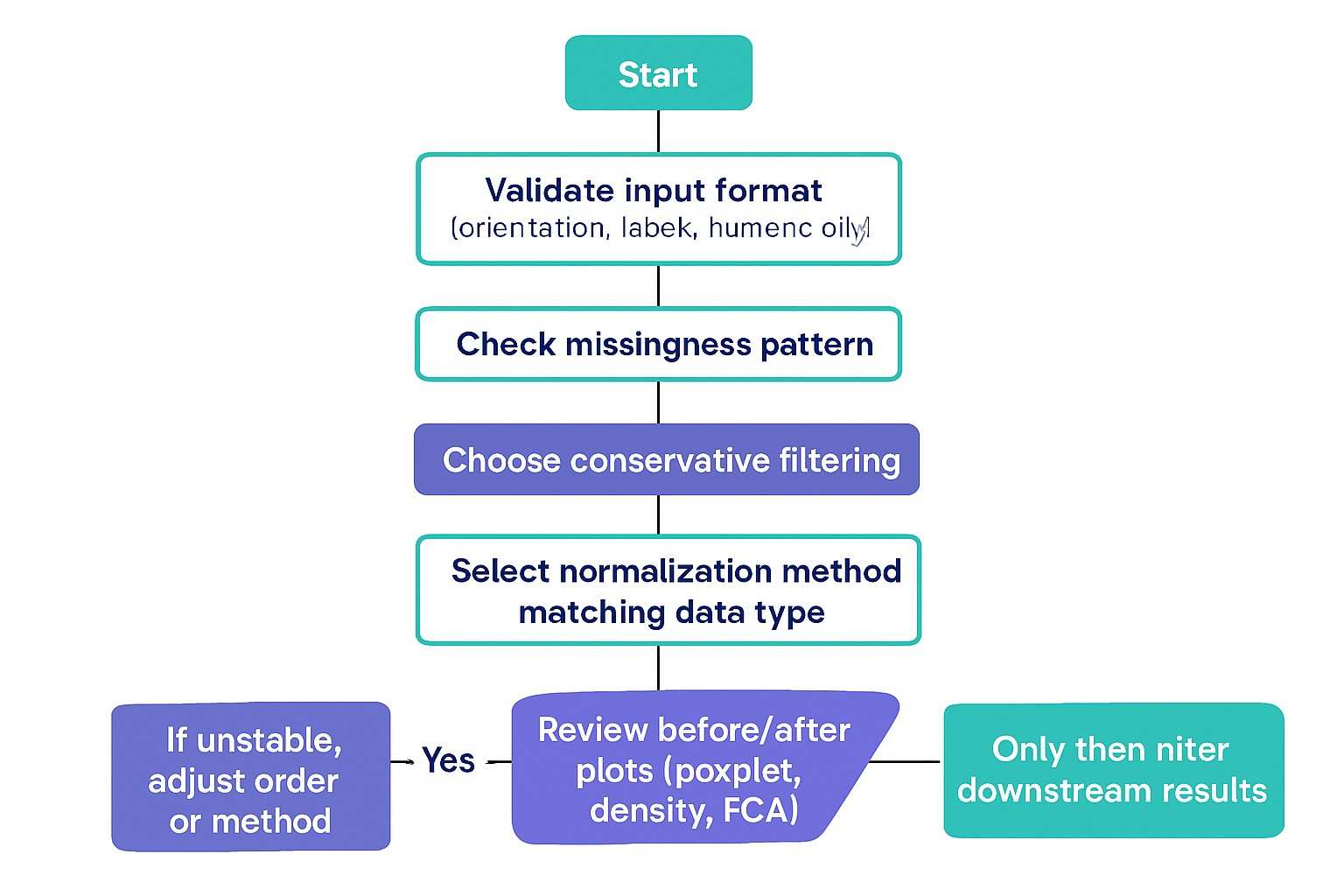
The safest troubleshooting sequence is:
- Validate matrix structure.
- Diagnose missingness.
- Apply conservative filtering.
- Normalize and inspect summaries.
If you depart from this order, do it intentionally and document the rationale.
Why Normalization Fails or Produces Bad Results
Normalization is meant to remove unwanted technical variation without removing biological variation. That sounds simple, but every normalization method encodes assumptions about what should be "the same" across samples.
The Normalization Method Does Not Match the Dataset
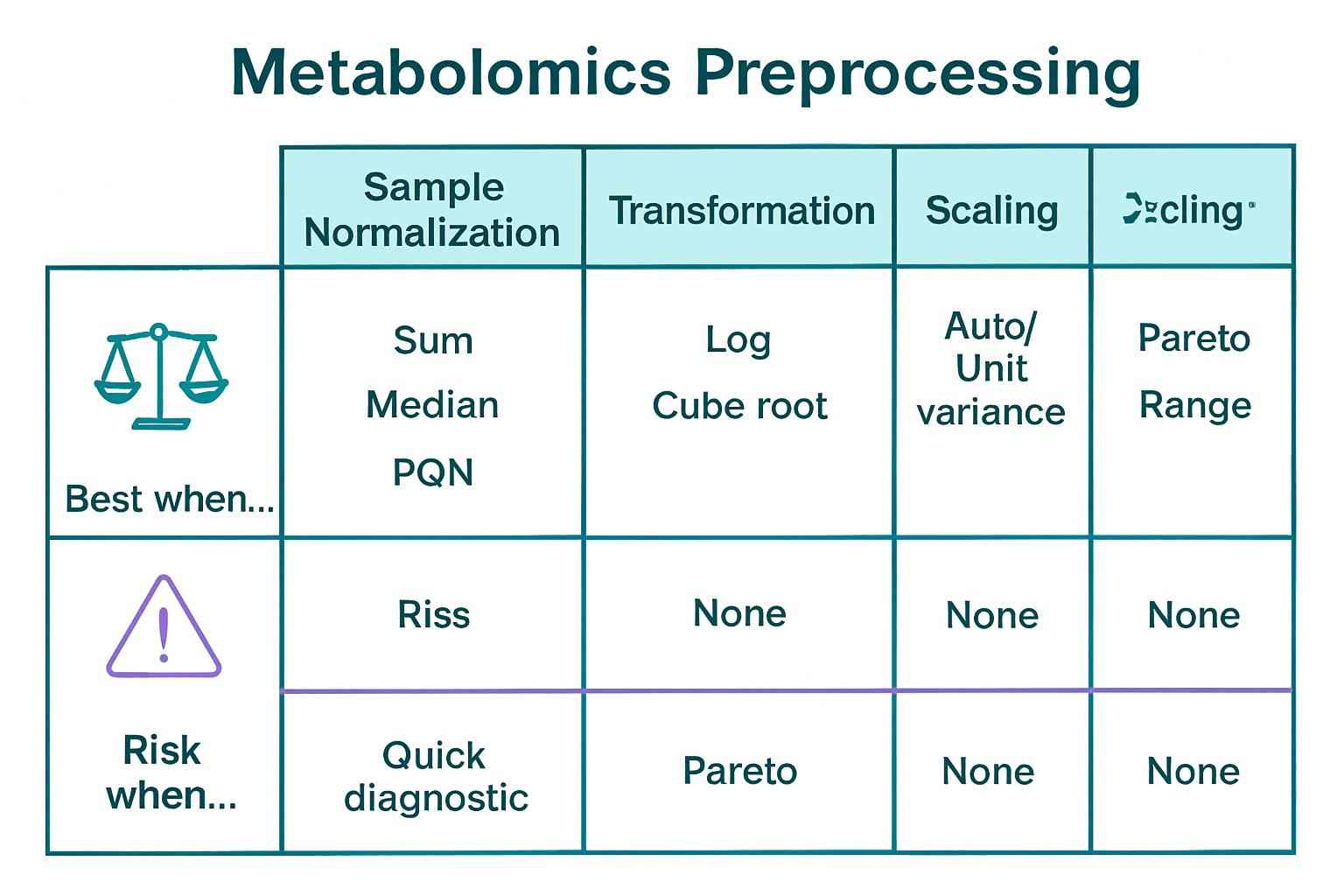
Sum, median, probabilistic quotient normalization (PQN), reference-feature normalization, and quantile normalization do not solve the same problem.
- Sum/total ion current-type normalization assumes that most metabolites are not changing globally and that total signal is a proxy for sample amount.
- Median normalization assumes that the median feature behaves stably across samples.
- PQN is often used when dilution effects are dominant and you want a robust scaling factor derived from the distribution of fold changes.
- Reference-feature normalization assumes you have a stable internal standard or housekeeping metabolite (rare to guarantee in untargeted contexts unless spiked standards are used).
- Quantile normalization enforces identical distributions across samples, which can be inappropriate when biology truly changes the distribution.
If your study expects global metabolic remodeling (e.g., strong treatment effects, severe physiological shifts), methods like sum or quantile normalization can inadvertently "flatten" the biology or manufacture differences.
A practical way to choose is to start from the data type:
- In untargeted peak tables, dilution effects, drift, and feature detection variability are common; robust methods (and QC-aware strategies outside MetaboAnalyst) may be needed.
- In targeted concentration tables, the measurement scale and missingness often have clearer semantics; normalization may be lighter-touch, but still must respect LOD and quantification rules.
If you are comparing targeted and untargeted strategies side-by-side, a useful conceptual anchor is whether your study goal is discovery or verification. In practice, the data properties differ enough that it can be worth aligning upstream assay choices (and downstream statistical expectations) with either Untargeted Metabolomics Service or Targeted Metabolomics Analysis Service -style deliverables—particularly around QC evidence and annotation confidence.
Transformation and Scaling Are Treated as Automatic Defaults
Transformation (e.g., log) and scaling (e.g., autoscaling, Pareto scaling) are often applied as defaults, but they're analytical decisions—not cosmetic finishing steps.
A log transform can stabilize variance when data are log-normal, but it can also amplify noise in low-intensity features. Autoscaling can make low-variance features appear artificially important; Pareto scaling can be a softer compromise. Centering choices affect interpretability of PCA and clustering.
If you apply transformation + scaling mechanically, you can manufacture separation in PCA that reflects preprocessing artifacts rather than biology. Conversely, you can also destroy separation by down-weighting the features that carry the biological signal.
Missing Values and Normalization Interact Poorly
Imputation and normalization change each other's behavior. If you impute first, you change distributional properties that the normalization method uses to compute scaling factors. If you normalize first, you may change the meaning of "missing" (especially if you later transform or scale).
There is no universal order, but there are two defensible principles:
- Make missingness explicit before any operation that cannot handle NA.
- Avoid imputing values that are not credible on the measurement scale.
In untargeted MS, zero replacement is particularly dangerous because it creates artificial spikes at zero that distort variance and fold-change estimates. When possible, treat non-detects as censored measurements rather than true zeros.
Normalization Completes but Makes the Data Look Worse
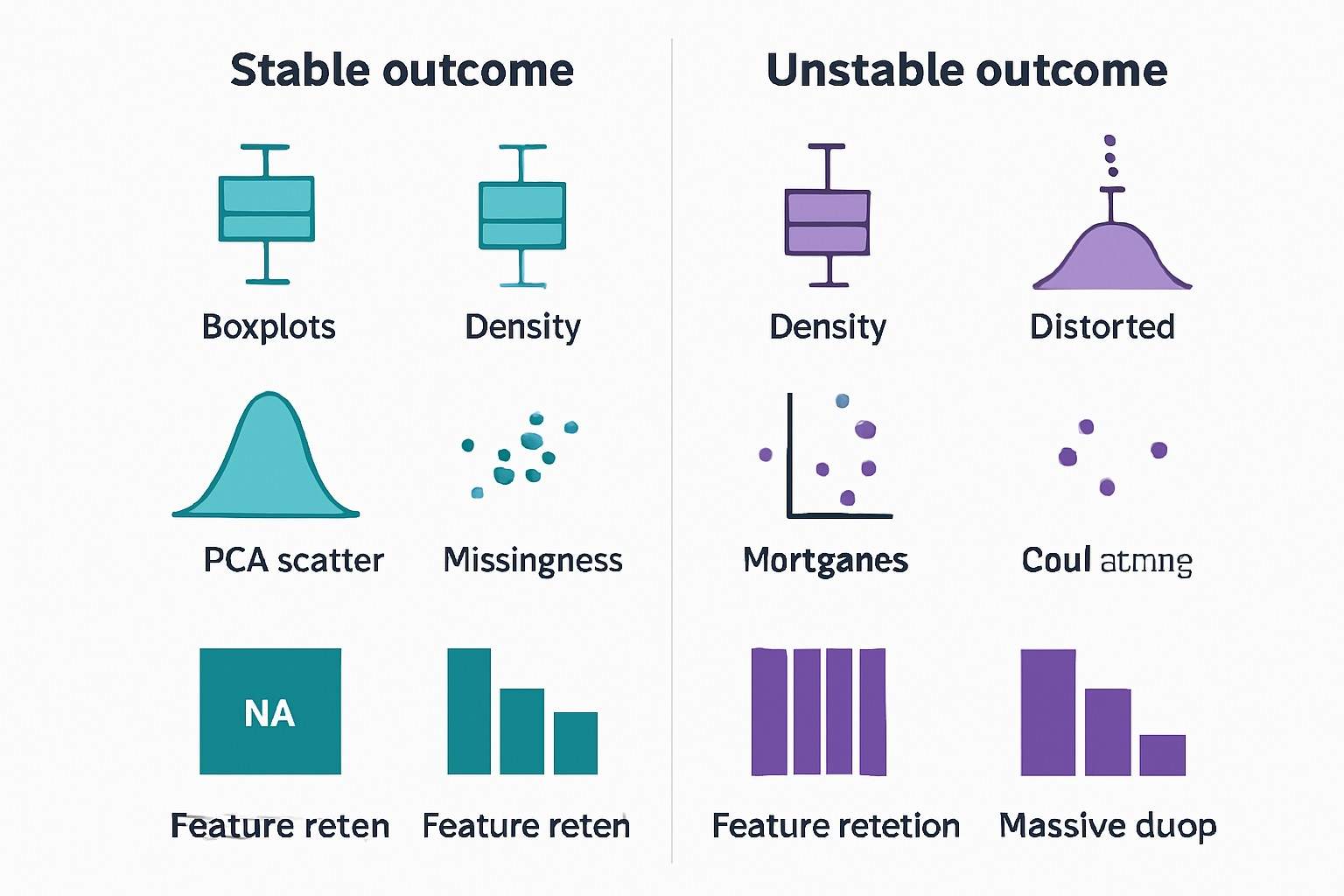
A normalization workflow that runs without error can still increase distortion. You should treat summary plots as acceptance tests.
Common "worse after normalization" patterns include:
- Boxplots widen: normalization increased between-sample dispersion.
- Density curves diverge: sample distributions were forced apart.
- PCA collapses: one normalization factor or outlier dominates.
- Outliers inflate: transformation/scaling amplified low-intensity noise.
If you see these symptoms, revert to the pre-normalized matrix and change one decision at a time. Don't stack changes (new filter threshold + new normalization + new scaling) and hope it stabilizes; you'll lose track of the causal step.
A Practical Troubleshooting Workflow for Filtering and Normalization Problems
This workflow is designed to identify the first decision that breaks stability. The goal is not to optimize the final preprocessing recipe immediately—it's to restore a technically defensible matrix.
Step 1: Validate the Input Matrix
Confirm orientation, labels, missing values, numeric-only data regions, and naming consistency. If you can't guarantee these, every downstream step is suspect—even if MetaboAnalyst doesn't throw an error.
A useful tactic is to export a "minimal matrix" containing a handful of samples and a handful of features. If preprocessing fails even on the minimal matrix, you likely have a formatting/parsing issue rather than a statistical one.
Step 2: Check Missingness Before Filtering
Quantify missingness per feature and per sample. Look for patterns: does missingness cluster by batch, by class, or by injection order? If yes, missingness may be signaling technical drift or processing thresholds, not biology.
At this stage, choose one of three stances:
- Exclude features with excessive missingness (conservative for stability).
- Impute using a method consistent with your measurement scale.
- Treat as quality signal and retain only for specialized analyses.
The wrong stance is to ignore missingness and hope normalization "fixes" it.
Step 3: Apply Filtering Conservatively First
During diagnosis, choose thresholds that retain most features. Your acceptance criterion is not "small matrix"; it's "stable matrix." If conservative filtering still removes most features, that's evidence that the matrix has pervasive missingness or that many features are near detection limits.
Track retention explicitly: how many features are retained at each filter step? If one filter removes a disproportionate amount, that step is your primary suspect.
Step 4: Match Normalization to the Data Type and Goal
Choose sample normalization, transformation, and scaling based on what the dataset represents.
A compact selection lens is:
| What is the main unwanted variation? | What you observe | What to try first (conservative) | What is risky |
|---|---|---|---|
| Dilution / sample amount | Similar patterns, different totals | Median or PQN; minimal scaling | Quantile normalization in sparse peak tables |
| Batch drift | QC shifts across run order | QC-aware correction (often outside MA) + careful re-check | Assuming sum normalization removes drift |
| Heteroscedasticity | Variance increases with intensity | Log (only after positivity ensured) | Log on many near-zero features |
| Feature magnitude dominance | A few large peaks drive PCA | Pareto scaling | Autoscaling with noisy low-intensity peaks |
The point isn't that any one method is "best." It's that you should be able to state why the method's assumptions match your matrix.
Step 5: Review Before-and-After Summaries
Before accepting the normalized matrix, check:
- Do boxplots become more comparable without extreme widening?
- Do density curves align without collapsing true biological structure?
- Does PCA become less dominated by a single sample or batch?
If your summaries worsen, roll back and change one decision at a time.
Step 6: Recheck Downstream Analysis Only After the Matrix Looks Stable
Do not interpret PCA, clustering, or biomarker results until filtering and normalization are technically defensible.
If you're using pathway tools, also ensure you can map features reliably (IDs, annotation confidence). Pathway interpretation is not a substitute for preprocessing QC; it amplifies preprocessing mistakes into biological narratives.
When you are ready to contextualize differential patterns, a dedicated pathway layer (including mapping logic and annotation transparency) such as Metabolic Pathways Analysis can help you sanity-check whether observed changes align with plausible biology—after the matrix itself has passed technical acceptance.
Common MetaboAnalyst Filtering and Normalization Error Patterns and What They Usually Mean
Some patterns are so common that you can treat them as signatures.
Import Worked, But Filtering Fails
If import succeeded but filtering fails, the matrix is often readable but unsuitable for filtering due to missingness or non-numeric contamination. Another frequent cause is a mismatch between the dataset type you selected and the matrix you uploaded (for example, treating a peak table as a concentration table).
In MetaboAnalystR workflows, software-side issues can also occur. For example, a reported issue in the Xia Lab GitHub tracker describes a case where FilterVariable() appears to succeed but the mSet object becomes corrupted, breaking subsequent steps (see encountering an error after FilterVariable() function #367 (Xia Lab, 2025)). Even in such cases, the practical takeaway is the same: verify object integrity after filtering and re-run downstream steps from a clean state.
Normalization Runs, But PCA or Boxplots Look Worse
This usually indicates a method mismatch. PCA worsening after normalization is rarely "random." It often means the normalization factor is amplifying a batch effect, or the transformation/scaling stack is over-weighting noise.
A quick diagnostic is to compare a small set of samples across conditions: if normalization changes relative relationships among technical replicates more than it changes relationships among biological classes, the method is not behaving as intended.
Too Many Features Disappear After Filtering
If the feature table collapses after filtering, suspect either overly strict thresholds or missingness that should have been reviewed first. In sparse untargeted studies, it may be normal for many features to be low quality—but you should be able to justify filtering criteria in terms of reproducibility and detection behavior, not "because the heatmap looked messy."
Results Change Dramatically After Removing Samples or Features
Removing samples/features changes the normalization basis. If you remove outliers or exclude a batch, normalization factors computed earlier may no longer be valid.
As a rule, if you materially change the matrix shape (drop samples, drop large feature subsets, merge groups), re-run normalization and re-check the summaries. Otherwise, you risk interpreting artifacts introduced by an outdated scaling factor.
How to Choose Filtering and Normalization More Defensibly
A defensible choice is one you can explain in the Methods section of a paper.
Start from the data type. Targeted concentration tables have different error structures from untargeted peak tables. Spectral bins have their own assumptions about alignment and signal distribution. If you mix these mental models, you'll choose methods that solve the wrong problem.
Next, use missing-value structure and study design to guide filtering aggressiveness. If missingness tracks batches, aggressive presence filters can erase entire batches' worth of features and bias results. If missingness is mostly random and low, conservative filtering may be enough.
Then choose normalization methods based on technical and biological assumptions, not habit. Ask what should remain invariant across samples: total amount? median metabolite behavior? a stable reference feature? distributional shape? Each answer implies a different normalization strategy—and each can be wrong when its assumptions fail.
Finally, treat transformation and scaling as analytical decisions. Their purpose is to support the statistical model you plan to use and the biological contrasts you care about—not to "make the plot prettier."
Common Mistakes That Make MetaboAnalyst Errors Worse
Preprocessing errors compound. The following mistakes tend to make troubleshooting harder and results less defensible.
Treating all preprocessing failures as software bugs leads to trial-and-error switching of settings without understanding the matrix. In reality, a matrix that is technically readable can still be structurally invalid for downstream steps.
Uploading a matrix with mixed data types (numbers plus text placeholders) is a classic example: it may import, but it will destabilize filtering, imputation, and scaling. Similarly, applying aggressive filtering before understanding missingness can erase real signal and make normalization appear to "work" on an already biased table.
Another frequent mistake is applying normalization, transformation, and scaling as a default stack. When you do that, a successful run is not evidence of correctness. It is only evidence that the operations were computable.
Finally, interpreting PCA or pathway results before verifying preprocessing improvement is a workflow inversion. If preprocessing makes boxplots or densities worse, downstream interpretations are built on unstable ground.
When the Problem Is Probably the Data, Not MetaboAnalyst
Sometimes MetaboAnalyst is behaving correctly—your data simply don't satisfy the assumptions required for the selected workflow.
If the matrix contains invalid formatting, unsupported naming, or mixed data types, you will often see failures that appear "random" across steps. The tool is reacting to inputs that violate basic numerical assumptions.
If missing values are too extensive or encoded inconsistently, many preprocessing steps become ill-posed. At that point, you may need to revisit peak picking, alignment parameters, blank subtraction logic, or QC design rather than trying to rescue the matrix with more aggressive normalization.
If the chosen normalization method does not fit the assay type or study design, you may see exactly the signature symptom many researchers report: normalization completes, but the data look worse. That is not a paradox—it is the method enforcing an assumption your dataset does not satisfy.
Finally, if your preprocessing order breaks the logic of the workflow—filtering after scaling, or removing samples after normalization without re-normalizing—you can create downstream instability that looks like a tool failure. A sequence that is technically computable is not necessarily analytically valid.
Frequently Asked Questions
Why does MetaboAnalyst fail during filtering or normalization?
Most failures are caused by the input data rather than by a random software error. Common causes include an invalid matrix layout, mixed numeric and text values, inconsistent missing-value encoding, or a preprocessing method that does not match the data structure. In many cases, the file imports successfully but becomes unstable only when MetaboAnalyst tries to apply filtering, transformation, or scaling.
What should I check first if filtering or normalization does not work?
Start with the input matrix. Confirm that the sample and feature orientation is correct, class labels are aligned properly, the data region is numeric, and missing values are encoded consistently. Then review missingness across both samples and features before changing thresholds or trying a different normalization method.
Should filtering be done before normalization?
For troubleshooting, filtering is usually safer before normalization, but only after the matrix format and missingness have been reviewed. A practical order is: validate the matrix, assess missingness, apply conservative filtering, then normalize and inspect summary plots. This helps prevent normalization from being applied to a matrix that is already structurally unstable.
Why can normalization make PCA or boxplots look worse?
Normalization can worsen the data when its assumptions do not fit the dataset. For example, methods such as sum normalization or quantile normalization may distort results when the study includes strong global biological shifts, sparse peak tables, or unresolved technical drift. A successful run only means the calculation was possible; it does not mean the result is analytically appropriate.
How do I choose a more appropriate normalization method?
Choose the method based on the dominant source of unwanted variation and on the type of data you are analyzing. Dilution effects, batch drift, heteroscedasticity, and feature magnitude dominance do not call for the same solution. The key question is not which method is most popular, but which method has assumptions that match your matrix and study design.
What should I do if too many features disappear after filtering?
That usually means the filtering threshold is too aggressive or that missingness should have been reviewed first. In sparse untargeted datasets, a large number of low-quality features may be expected, but filtering decisions should still be justified by reproducibility, detection behavior, or study design rather than by visual cleanup alone. During troubleshooting, start with conservative thresholds and track feature retention after each step.
Do I need to normalize again after removing samples or features?
Often, yes. If you remove outliers, exclude a batch, or drop a substantial subset of features, the basis of normalization may change. In those cases, normalization should usually be repeated and the summary plots reviewed again before interpreting PCA, clustering, or biomarker results.
How should missing values be handled before normalization?
Missingness should be made explicit before any step that cannot handle NA values. The correct strategy depends on what the missing values represent: true biological absence, detection limits, feature-finding variability, or spreadsheet handling problems. In untargeted MS data, replacing missing values with zero is often risky because it can distort variance and fold-change estimates.
When is the problem more likely to be the data than MetaboAnalyst?
If the matrix contains invalid formatting, mixed data types, extensive missingness, or a preprocessing sequence that breaks analytical logic, the problem is more likely to be the data. A common sign is that the workflow runs, but the resulting boxplots, density curves, or PCA patterns become less stable rather than more interpretable.
References
- Data normalization strategies in metabolomics: Current challenges and emerging approaches
- Evaluating and minimizing batch effects in metabolomics
- Improved batch correction in untargeted MS-based metabolomics
- Pretreating and normalizing metabolomics data for statistical analysis

 Contact Us